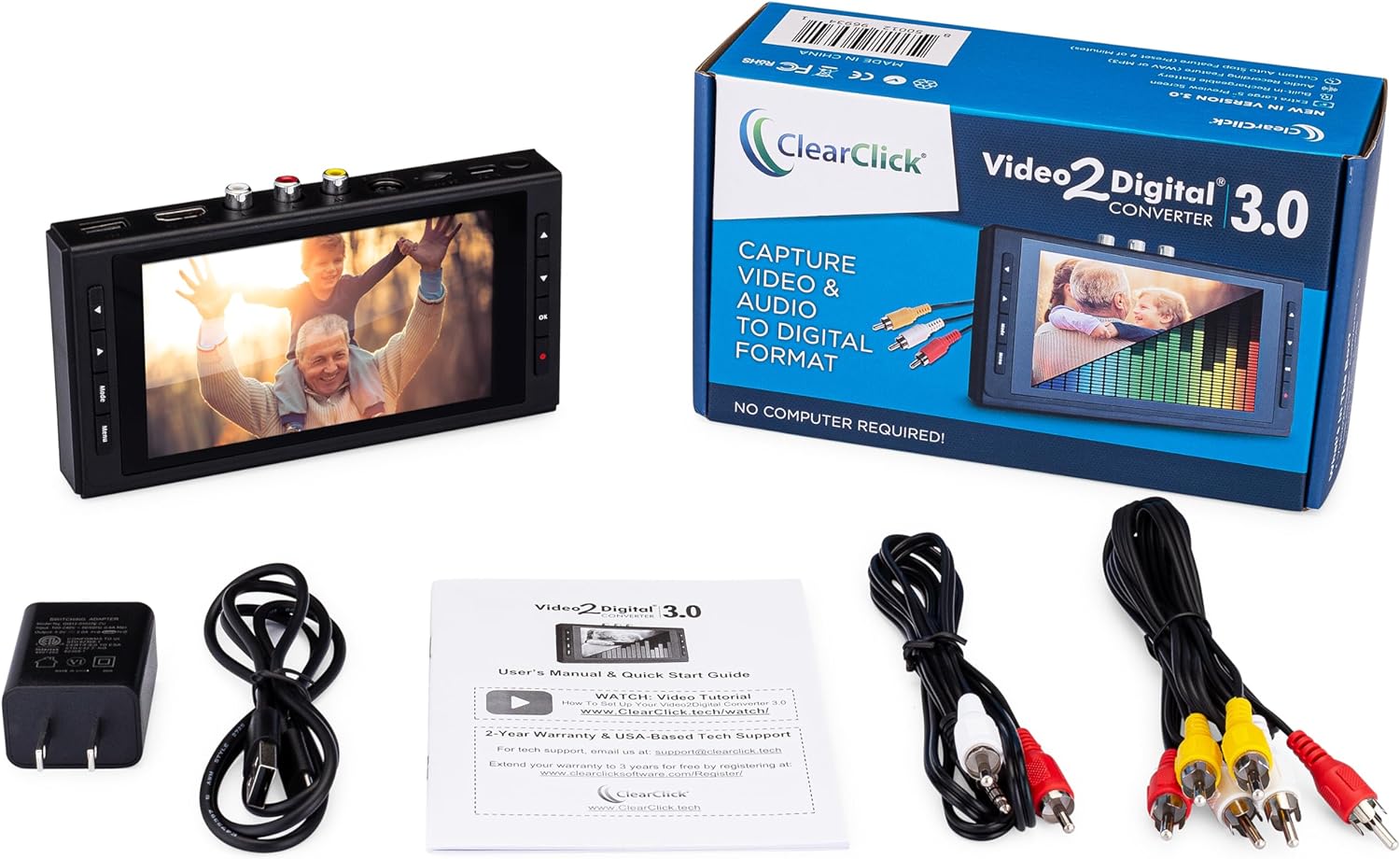
Transfering your old movies to digital files is easy if you have the right equipment.
I’ve done a bit of transferring old films, VHS tapes and Hi8 tapes to DVDs in the past. Now with my Jellyfin personal streaming media server set up, I figure its about time to get all of our old home movies in one place where anyone in the family can stream them.
Transfering movies from DVDs to the media server NAS was easy. For the old video tapes I first tried using a cheap VHS to Digital Converter (RCA to USB Audio Video Converter) and free OSB (Open Broadcaster Software).

Frankly the results sucked. The software was overly complicated and the entire process was overkill. The results were pixalated and unwatchable.
If you have a bunch of tapes to transfer it makes sense to invest in a quality system. Sending out 10 tapes to a professional transfer service will set you back $200 so I ended up buying this device:

ClearClick Video to Digital Converter 3.0 (Third Generation) – Record Video & Audio from VCR’s, VHS, AV, RCA, Hi8, Camcorder, DVD, Turntables, Cassette Tapes
This device basically converts and audio or video source coming in from RCA or SVGA cables into MP3, WAV or MP4 formats.
You can transfer your vinyl or cassette collection into MP3. You can convert your VHS tapes into MP4 720×480 or 640×480 Pixels.
It’s highly portable with the built-in battery and the ability to record to a microSD car, USB drive or a portable hard drive.
The controls are easy to figure out – select the input source and just hit the record button when you see the video on the screen. The device does all of the upscaling and converting. No need to monkey around learning some new video editing software.
The results are so much better than I got with the cheap USB converter and they up scaled to the wider format of my modern TV.
For best quality, use a 4 head VCR and a SVGA cable if available (will still need the red and white RCA cables for audio).
About this item
- Convert Your Old Video Sources (Video Tapes, Camcorder Tapes) and Audio Sources (Cassette Tapes, Vinyl Records) to Digital Format With The Touch of a Button (Audio Recording Format: WAV or MP3. Video Recording Format: MP4 720×480 or 640×480 Pixels. Not Intended For Modern HD Video Sources.)
- Records and Digitizes Video and/or Audio From VHS, VCR’s, DVD Players, DVR’s, Camcorders, Hi8, Retro Gaming Systems, Cassette Tapes, LP Records, Turntables, and More (AUDIO/VIDEO SOURCE NOT INCLUDED; CONVERTER DOES NOT PLAY AUDIO/VIDEO TAPES)
- No Computer or Software Required – Just Hook It Up & Start Recording – Records Video and/or Audio Directly Onto Any USB Flash Drive or MicroSD Card (NOT INCLUDED; 512 GB or smaller)
- What’s New In The Video2Digital(R) Version 3.0 (Third Generation): Audio Sources Recording Feature, Larger 5″ Preview Screen, Built-In Rechargeable Battery, Custom Auto Stop Feature (Exact # of Minutes), MicroSD Memory Card Slot, USB-C Charging Port, 2 Year Warranty

My Media Server System
- NAS: Asustor AS5402T, 2 Bay NAS
- Hard drives: Western Digital 10TB WD Red Plus NAS Internal Hard Drive HDD
- Media server: Jellyfin